
Cloudflare, one of the most widely used web infrastructure providers, enables a "Block AI bots" setting by default. This setting blocks verified AI crawlers — including those associated with ChatGPT, Claude, Gemini, and Perplexity — at the infrastructure level, before requests reach the server or robots.txt is read. Many website owners working on GEO and AEO are unaware this setting exists. The fix is a single toggle in the Cloudflare Security Settings dashboard.
For the past year, businesses have been told to optimise for AI search.
Create AI-friendly content. Build third-party citations. Implement structured data. Add an llms.txt file. Write content AI systems can cite.
Good advice. Worth following.
But there is a problem nobody in the GEO conversation is talking about.
Many of the businesses following that advice are running Cloudflare. And Cloudflare blocks AI crawlers by default.
Not because the site owner chose to. Not because their agency recommended it. Not because they configured anything.
Because that is the default setting.
Here is what it looks like on a brand new domain — no configuration applied by the owner:
To verify this, we added a brand-new domain to Cloudflare and reviewed the default bot settings before making any configuration changes. The Block AI bots setting was enabled by default.
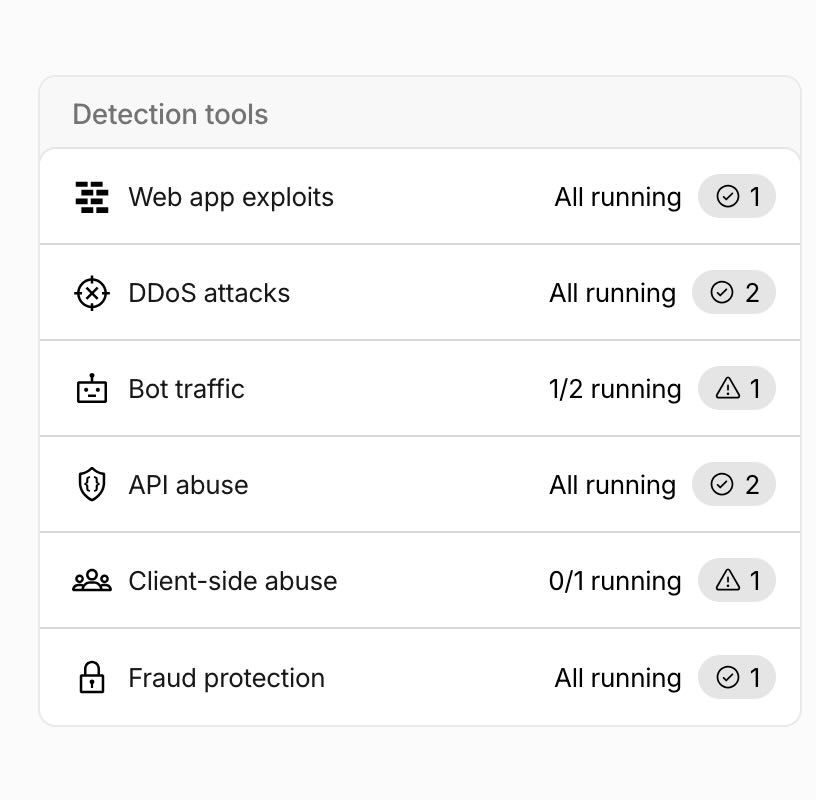
Cloudflare Security overview — Bot traffic shows "1/2 running" with a warning triangle. One of the two bot settings is active. That setting is Block AI bots.
Detection tools
Bot traffic
Block AI bots
Deploys a Cloudflare-managed rule to block bots that we categorize as AI training crawlers from visiting your site. See the list of bots and learn more
Bot fight mode
Detect and challenges bot traffic on your domain.
New domain, zero configuration applied. Block AI bots is on by default.
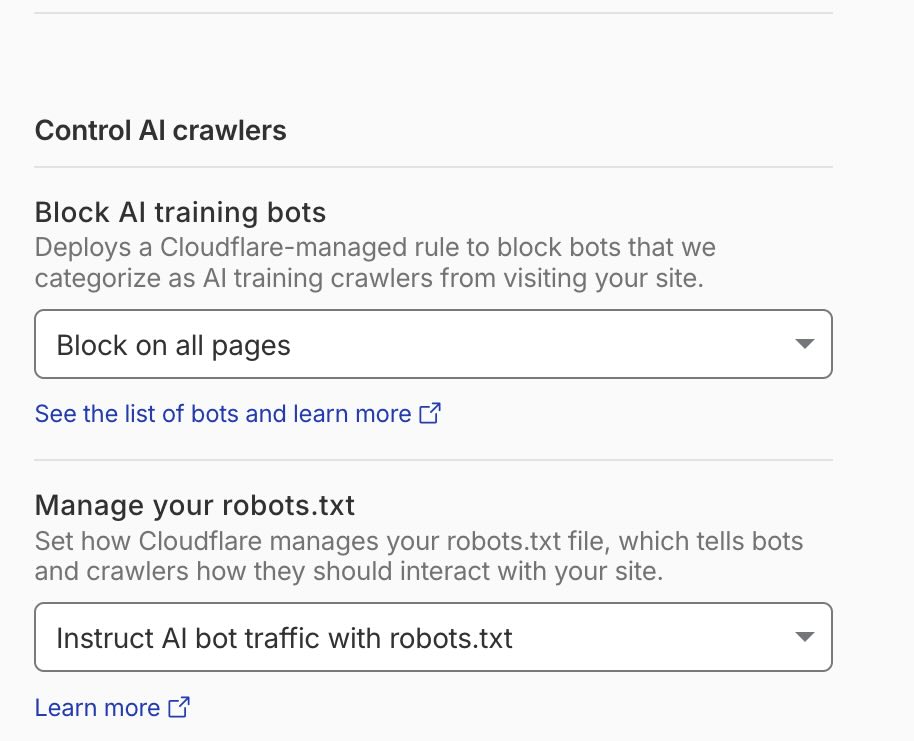
The actual Cloudflare UI on a freshly added domain. Block AI bots — on. Bot fight mode — off. No configuration applied.
What is happening
Cloudflare is one of the most widely used web infrastructure providers in the world. A large proportion of websites — from small business sites to major publishers — sit behind Cloudflare's network.
In 2025, Cloudflare introduced a feature called "Block AI bots." When enabled, it blocks verified AI crawlers from accessing your website entirely.
Block AI bots is enabled by default across all Cloudflare plans.
Cloudflare's documentation states: "Activating this setting will block verified bots that are classified as AI crawlers, as well as a number of unverified bots that behave similarly." If you have not actively turned this off, it is on.
Which crawlers are blocked
When Block AI bots is enabled, Cloudflare blocks the following verified crawlers — plus additional unverified bots that behave similarly:
Is AI recommending your brand?
Check free in 60 seconds — or fix it if it's not.
GPTBot — OpenAIOpenAI's web crawler. Used to improve model capabilities and power OpenAI's web-connected products. Blocking it reduces the likelihood of OpenAI's systems encountering your content.
ClaudeBot — AnthropicAnthropic's web crawler. Used to gather information that informs Claude's responses. Blocking it means Anthropic's systems are less likely to have current information about your brand.
Google-CloudVertexBot / GoogleOther — GoogleGoogle's crawlers for AI features including Gemini and AI Overviews. Blocking them affects Google's AI products including the summaries that appear at the top of search results.
DuckAssistBot — DuckDuckGoDuckDuckGo's crawler for AI answer features.
Applebot — AppleApple's crawler used for Siri, Spotlight, and Apple Intelligence.
CCBot — Common Crawl · Bytespider — ByteDance · Amazonbot — Amazon · Meta-ExternalAgent — MetaCrawlers primarily associated with training data collection and AI product development.
The same toggle. All of them. No distinction between crawlers that power AI answers today and crawlers that feed training pipelines for future models.
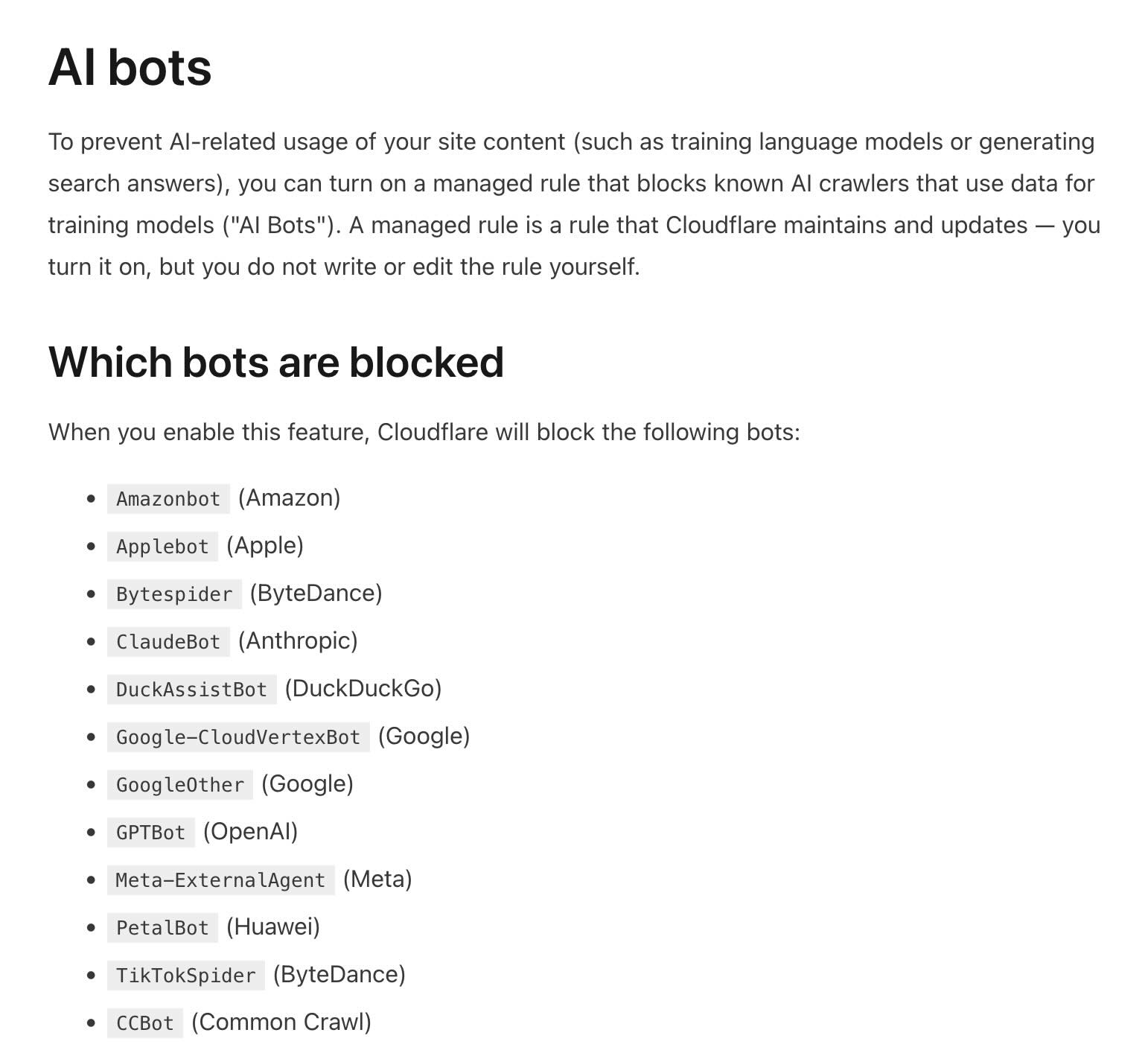
Cloudflare's own documentation — the complete list of blocked bots. GPTBot and ClaudeBot sit alongside mass training scrapers like CCBot and Bytespider.
The robots.txt trap
Many website owners know about robots.txt. They have spent time configuring it carefully — explicitly allowing GPTBot, allowing ClaudeBot, allowing Google-Extended.
That configuration may be irrelevant if Cloudflare is blocking the crawler upstream.
Cloudflare's Block AI bots setting operates at the infrastructure level — before any request reaches your server, before your robots.txt file is ever read. If the crawler is blocked at the firewall, it never gets the opportunity to check your robots.txt instructions.
You can have a perfectly configured robots.txt explicitly allowing every AI crawler — and still be completely invisible to AI systems because of a single Cloudflare toggle you never touched.
Before you spend a dollar on GEO, check this
This is the practical reality for a large number of websites right now.
The site owner is working on AI visibility. Creating content. Building citations. Implementing AEO best practices. Maybe paying an agency.
Meanwhile, at the infrastructure layer, Cloudflare is silently blocking the AI crawlers that content is meant to attract.
The work is real. The effort is genuine. The result is zero — not because the strategy is wrong, but because the lights are off at the infrastructure level.
Check your Cloudflare settings before assuming your content is the problem.
How to check and change your setting
- Log into your Cloudflare dashboard
- Go to Security Settings
- Filter by Bot traffic
- Find Block AI bots
- Click the edit icon under Configurations
- Select your preferred option and click Save
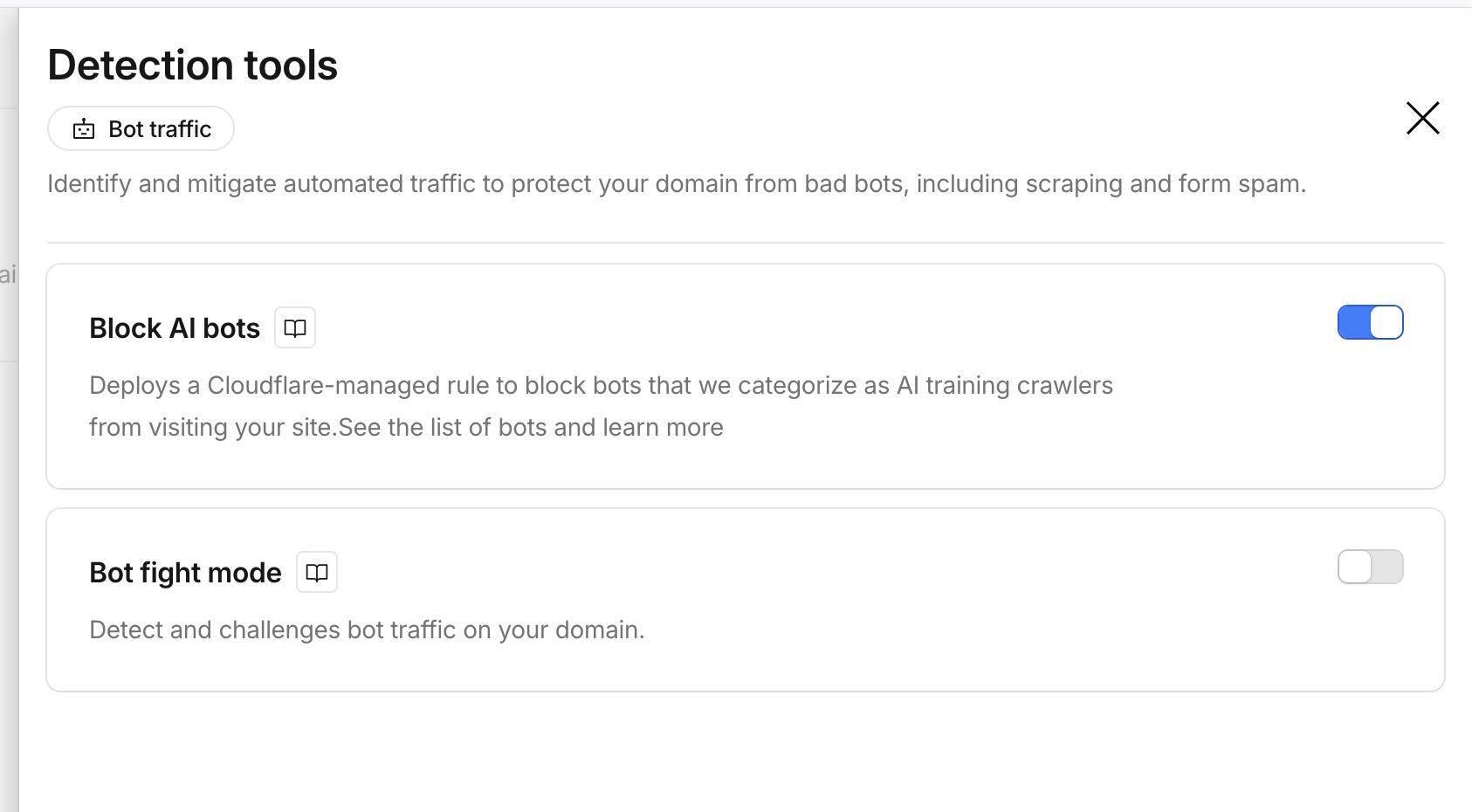
Some Cloudflare accounts show this view — Control AI crawlers with a dropdown set to "Block on all pages" by default. The fix is the same: change to "Do not block".
Cloudflare also offers AI Crawl Control at developers.cloudflare.com/ai-crawl-control for granular per-crawler management — allowing some crawlers while blocking others individually.
The correct robots.txt setup
Once you have adjusted your Cloudflare setting, your robots.txt becomes relevant again. Here is a setup that explicitly allows AI crawlers while blocking mass training scrapers:
# Allow AI crawlers — these power AI answers and discovery
User-agent: GPTBot
Allow: /

User-agent: ClaudeBot
Allow: /

User-agent: Google-Extended
Allow: /

User-agent: PerplexityBot
Allow: /

# Block mass training scrapers
User-agent: CCBot
Disallow: /

User-agent: Bytespider
Disallow: /

User-agent: meta-externalagent
Disallow: /
How to verify AI can actually see your brand
After adjusting your Cloudflare settings, it is worth confirming that AI systems are actually reading and recommending your brand.
A score of 0 across all three models, for a brand with good content and third-party coverage, is a strong signal to check infrastructure settings first. Cloudflare's Block AI bots setting is the most common cause.
Check if AI can see your brand
Free check across ChatGPT, Claude and Gemini — no account required.
If you score 0 with good content, check Cloudflare first.